
What to Include on an Invoice: Checklist
In this guide
- Who this checklist is for
- The essentials at a glance
- Required, recommended and situational
- 1. The title: “Invoice” or “Tax invoice”
- 2. Your business name and contact details
- 3. Your tax or registration number
- 4. The client’s name and address
- 5. The invoice number
- 6. The issue date, supply date and due date
- 7. Payment terms
- 8. A PO number or reference
- 9. Line items: description, quantity, unit price and amount
- 10. Subtotal, discount, tax and shipping
- 11. The total, currency and balance due
- 12. Payment methods and instructions
- 13. Late payment terms
- 14. Notes and extras
- What the rules require in different countries
- Simplified and modified invoices
- Industry-specific extras
- What happens when an element is missing
- Describing work that is hard to describe
- How the elements change for different situations
- Layout and readability
- An invoice with each element marked
- What not to put on an invoice
- Showing tax clearly on the invoice
- Electronic invoices and structured data
- Wording questions people ask
- A printable checklist
- Common mistakes when filling in an invoice
- How a generator helps you remember
- Line descriptions by profession
- Your first invoice versus your hundredth
- A final read-through before you send
- Next steps
A professional invoice is not long. It is complete. The same dozen or so elements appear on almost every good invoice, and leaving one out is the usual reason an invoice is queried, delayed or rejected. This guide lists every element, explains why it is there, shows an example for each and tells you which ones your country may require by law.
If you want to build one straight away, the free invoice generator already has a field for each element in this checklist, so you can work through the list as you type. For the full process from blank page to sent PDF, read how to make an invoice.
Quick answer: Every invoice should show who is billing whom, a unique invoice number, the issue date, what is being charged for (with quantities and prices), any tax, the total due, and how and when to pay. If you are registered for VAT, GST or sales tax, add your tax number and the tax breakdown.
Who this checklist is for
The checklist works for anyone who sells to another person or business: freelancers, contractors, shops, agencies, consultants and tradespeople. If you are just starting, treat it as a template for what a complete invoice looks like. If you have been invoicing for years, use it as an audit: lay your last invoice next to it and see what is missing. Most people find one or two gaps, such as a PO number, a due date or a clear currency, and fixing those is often enough to speed up payment.
It is also useful from the other side. If you receive invoices, the same list tells you what to expect, and what to ask a supplier to add if it is missing.
The essentials at a glance
Here is the short version. The sections below explain each item in turn.
| # | Element | Required? | One-line reason |
|---|---|---|---|
| 1 | Title (“Invoice” or “Tax invoice”) | Yes | Says what the document is |
| 2 | Your business name and contact details | Yes | Identifies the seller |
| 3 | Your tax or registration number | If registered | Often a legal requirement |
| 4 | Client name and address | Yes | Identifies the buyer |
| 5 | Unique invoice number | Yes | Lets both sides refer to it; needed for records |
| 6 | Issue date | Yes | Starts the payment clock |
| 7 | Due date and payment terms | Yes | Tells the client when to pay |
| 8 | Supply date or period | Often | Fixes the tax period and what was covered |
| 9 | PO number or reference | If given | Helps the client match it |
| 10 | Line items: description, quantity, unit price, amount | Yes | Shows what is charged |
| 11 | Subtotal, discount, tax, shipping | As applicable | Lets the client check the total |
| 12 | Total and currency | Yes | The amount due |
| 13 | Payments received and balance due | If applicable | Prevents double payment |
| 14 | Payment methods and instructions | Yes | Makes it easy to pay |
| 15 | Late fee or interest wording | If agreed | Only if agreed beforehand |
| 16 | Notes | Optional | A thank you, project name or reference |
Required, recommended and situational
It helps to group the elements by how much they matter, because the rules differ.
| Group | What belongs in it | Why |
|---|---|---|
| Always | Title, seller, buyer, invoice number, date, description, amounts, total | Without these it is not a usable invoice |
| Required when registered for tax | Tax number, tax rate and amount, supply date, sometimes buyer’s tax number | The tax authority needs it |
| Strongly recommended | Due date, payment terms, payment instructions, PO number | Gets you paid on time |
| Situational | Shipping address, delivery date, contract number, project code, licence number | Depends on the job or the client |
| Nice to have | Logo, thank-you note, payment link, QR code | Professional polish |
If you remember only the first three groups, you will produce a correct invoice almost every time.
1. The title: “Invoice” or “Tax invoice”
Put the word Invoice at the top in a clear heading. It sounds obvious, but a document that is not labelled can be mistaken for a quote or a statement and ignored.
In countries with a goods and services tax, the title is sometimes dictated. In Australia the document is usually headed “Tax invoice” when GST is charged, and the ATO requires the words “tax invoice” to appear. In the UK you may see “VAT invoice”. If you are unregistered, plain “Invoice” is correct.
2. Your business name and contact details
Show who is sending the invoice:
- Your legal name or registered trading name.
- Your postal address.
- An email address and, where useful, a phone number.
- A website if it helps the client confirm who you are.
If you trade under a name different from your legal name, show both, with the trading name more prominent. Accounts departments pay legal entities, so the legal name has to be visible somewhere.

3. Your tax or registration number
If you are registered for VAT, GST, HST or a similar tax, your registration number normally has to appear on invoices that charge that tax. Examples of what it is called: VAT number (UK and EU), GST/HST number or Business Number (Canada), ABN (Australia), EIN or sales tax permit number (United States, depending on the case).
If you are not registered, you do not need one, and you must not show a number that is not yours. Sole traders in some places may also show a company registration or business licence number; show it if your rules require it.
4. The client’s name and address
Show who is being billed:
- The customer’s exact legal or trading name.
- The billing address.
- A contact name if you know who processes invoices.
- Their tax number, where required (for example for B2B invoices within the EU).
Copy these from the contract, quote or purchase order rather than from memory. A misspelled name is a common reason for a large company to return an invoice. If goods are delivered elsewhere, add a separate Ship to address.
5. The invoice number
Every invoice needs a unique number. It lets both sides refer to it (“invoice 1042”), helps you notice a missing document and, in many countries, is a legal requirement. In the UK, for example, a full VAT invoice must show a sequential number that uniquely identifies it.
Good numbering follows two rules: never reuse a number, and keep the sequence running without unexplained gaps. A number can be a plain count (1, 2, 3) or include the year or a client code (2026-001, ACME-014). See invoice number formats for the patterns and how to choose.
6. The issue date, supply date and due date
Dates do more than decorate the page. There are up to three:
- Issue date: the day you create the invoice. It starts the clock for payment terms.
- Supply date (or tax point): the day goods were delivered or the work was completed, or the period covered, for example “September 2026”. Tax systems often care about this date.
- Due date: the last day to pay without being late.
Write dates in an unambiguous format. “03/04/2026” means 4 March in some countries and 3 April in others, so “3 April 2026” or “2026-04-03” is safer when you work across borders.
7. Payment terms
Payment terms state when and under what conditions the invoice should be paid. Examples are “Due on receipt”, “Net 14”, “Net 30” and “50% on acceptance, balance on completion”. Always show the terms and the actual due date so nobody has to count.
Shorter terms are paid faster, and terms you have agreed in the quote or contract should match what is on the invoice. For more on choosing and wording terms, see invoice payment terms.
8. A PO number or reference
If the client gave you a purchase order number, a project code or a contract reference, put it on the invoice. Large organisations match invoices to orders automatically, and an invoice without the reference may sit unprocessed. It costs nothing to include and it is the single most common fix for “why has my invoice not been paid?”.
9. Line items: description, quantity, unit price and amount
Each line should have four things: what it is, how many, the price per unit and the total for the line. The description is the part that does the most work:
| Instead of | Write |
|---|---|
| Design | Logo design: 3 concepts and 2 revision rounds |
| Labour | Electrical repairs, 3 hours at $70/hour, 8 Oct |
| Materials | Cable, 20 m at $2.50/m, and 2 sockets at $8 each |
| Consulting | Strategy workshop, 4 hours, 8 Oct, with written summary |
One thing per line, and use the same units as the quote. Expenses you pass on should be separate lines. For a deeper look at descriptions with examples, see how to make an invoice.
10. Subtotal, discount, tax and shipping
After the lines comes a short calculation. Show each step on its own row so the client can verify the arithmetic:
- Subtotal (sum of lines).
- Discount, as a percentage or an amount, if you agreed one.
- Tax (the rate and the amount) calculated on the discounted price.
- Shipping or delivery, if charged.
- Total.
If you charge tax, show the rate and the amount separately, and say whether your prices include it. Mixed rates (for example some zero-rated items) should be shown by rate. The sales tax on invoices guide explains the common cases.
11. The total, currency and balance due
The total is the number the client will look for first, so make it unmissable. Always state the currency if there is any chance of confusion ($ can mean US, Canadian or Australian dollars). If a deposit or earlier payment has been received, show it and then the balance due, so the client pays the right amount.
12. Payment methods and instructions
Make paying as easy as possible:
- Bank name, account name and number, routing, sort code or IBAN.
- A payment link for cards or online wallets.
- The accepted methods and any you do not take.
- The reference to quote, usually the invoice number.
A client who has to email you to ask where to send the money has just added days to the payment. For international clients, include the full details their bank needs, and say who pays transfer fees.
13. Late payment terms
If you charge late fees or interest, say so on the invoice, using wording the client has already agreed. For example: “A late fee of 1.5% per month applies to balances unpaid after the due date.” Do not add a fee that was not in your agreement; in some places there are statutory interest rules and in others limits on what you can charge. See invoice late fees.
14. Notes and extras
Use a short notes area for things that help the client but are not part of the calculation:
- A thank-you line.
- The project or job name.
- A reminder of the next milestone or invoice.
- A warranty or return period for goods.
- A link to your terms and conditions.
Keep it brief. Long legal text belongs in the contract, not on the invoice.
What the rules require in different countries
This is a summary of the main requirements in four common markets. It is general information, not tax or legal advice, and the rules are updated, so check the official source for your case.
| Country | What it expects on a standard business invoice |
|---|---|
| United Kingdom | For a full VAT invoice: a sequential number that uniquely identifies it, the supply date and issue date, your name, address and VAT number, the customer’s name and address, a description with quantity, the VAT rate and amounts per rate, and the total. A less detailed invoice is allowed for supplies of £250 or less including VAT. |
| European Union | A sequential number, issue and supply dates, supplier and customer VAT details, a description, the taxable amount per rate, the rate and the VAT amount, as set out in the EU VAT rules and applied by each member state. |
| Canada | For GST/HST, the CRA’s requirements increase with the invoice amount: under $30 the supplier name, date and total; from $30 also the supplier’s registration number and the tax shown; from $150 also the customer’s name, the payment terms and a description of the supply. |
| Australia | A tax invoice is needed for sales above $82.50 including GST. It must show the words “tax invoice”, your identity and ABN, the date, a description, the price and the GST, with more detail required for sales of $1,000 or more, including the buyer’s identity. |
| United States | No single federal format. Sales tax is handled by states, and many require tax to be shown separately. Keep a clear record that supports your income and your customers’ deductions. |
Our guides on UK VAT invoices, GST invoices in Canada and Australia and sales tax go deeper.
Simplified and modified invoices
Some systems allow a lighter invoice for small amounts. The UK’s less detailed VAT invoice (for sales of £250 or less including VAT) needs fewer items, and Canada’s lowest tier needs only name, date and amount. These are options, not requirements; a fuller invoice is always acceptable. If you are unsure, include more rather than less.
Other special cases include:
- Pro forma invoices, which are preliminary and should say so. See pro forma vs commercial invoice.
- Credit notes, which reduce an earlier invoice and must refer to it. See what a credit note is.
- Self-billed invoices, where the buyer issues the invoice on the seller’s behalf under an agreement; each system has specific marking rules.
- Reverse-charge invoices, where the buyer accounts for the tax. The invoice usually carries a statement to that effect.
Industry-specific extras
Some jobs call for extra details:
| Industry | Common extras |
|---|---|
| Construction and trades | Site address, job or contract number, licence number, stage or milestone, labour and materials shown separately |
| Consulting and freelance | Project name, hours or day rate, deliverables, expenses with dates |
| Retail and e-commerce | Order number, product names or SKUs, shipping address, return policy |
| Legal and professional services | Matter or file number, fee earner, disbursements listed separately |
| Healthcare | Patient or service reference, procedure codes where required, insurer details |
| Transport and logistics | Consignment or tracking number, origin and destination, weights |
When a client or an industry body specifies a format, follow it. Ask for their invoicing instructions at the start of the job.
What happens when an element is missing
It is easier to remember what to include when you know what goes wrong without it. Each row below is a real, common delay.
| If this is missing | What usually happens |
|---|---|
| Invoice number | The accounts team cannot log it; it is returned or ignored |
| Client’s legal name | Large companies reject it because it does not match their supplier record |
| PO number | The invoice cannot be matched to an order and waits in a queue |
| Due date or terms | The client applies their own terms, often 30 to 60 days |
| Description | The client asks “what is this for?” and holds payment until answered |
| Tax number (when registered) | The buyer cannot reclaim tax and asks for a corrected invoice |
| Currency | The client pays the wrong amount or asks which currency you mean |
| Payment details | The client emails to ask, and payment waits for the reply |
| Contact details | Nobody can ask a question, so the invoice stalls |
Almost all of these are fixed in seconds before you send, and take days to fix after.
Describing work that is hard to describe
Some jobs do not break neatly into units. The same rule applies: say what, how much and when, in terms the client would recognise.
Creative work. Name the deliverables and the number of revisions: “Brand identity: logo (3 concepts, 2 revisions), colour palette, one-page usage sheet.” Avoid “Design services”.
Retainers. State the period and what it covers: “Monthly marketing retainer, October 2026: up to 10 hours of content planning and 4 posts.”
Hourly work. Show hours and rate: “Website development, 12.5 hours at $60.00 per hour, 6 to 10 October.” If the detail is long, attach a timesheet and refer to it.
Bundled prices. If you agreed a fixed price for a package, show the package as a single line and list what it includes underneath. A client who later asks about the cost of one part will find it was never separately priced, which is correct.
Expenses. Show what, when and the amount, and say whether they are charged at cost: “Train ticket, London to Bristol, 8 October, at cost.”
Product bundles. Use the product names the client sees on your site or order, and the SKU if you have one, so their records match.
How the elements change for different situations
The same checklist applies to every invoice, but some situations add or alter an element.
| Situation | What changes |
|---|---|
| Deposit invoice | Title it clearly (“Deposit invoice”), describe what it is a deposit for, and show the balance expected |
| Final invoice after a deposit | Show the earlier payment as a line or in the paid-to-date row |
| Recurring invoice | State the period covered and keep numbers sequential |
| Foreign currency | State the currency, exchange-rate basis if relevant, and who pays bank fees |
| Discount | Show the percentage or amount and apply it before tax |
| Partial delivery | List what was delivered now and say what is still to come |
| Credit note | Refer to the original invoice number and give the reason |
| Reverse-charge supply | Add the statement required by your tax authority |
If your job has special requirements, put them in the quote or contract first so the invoice just repeats them.
Layout and readability
An invoice is a form people scan. A few layout choices make it easier to approve:
- Put the most important facts at the top right: the invoice number, date and due date. Put the total due in a clearly separated, larger block near the bottom right.
- Keep it on one page when you can. A long invoice should repeat the invoice number on every page.
- Use plain fonts and enough white space. Decorative fonts and background images hurt legibility and printing.
- Align numbers to the right and keep the same number of decimal places, so amounts line up.
- Use one accent colour at most. A coloured header band is fine; a rainbow is not.
- Name the file well. Include the client and the number, for example
AwasiUmar_invoice_1042.pdf. - Check it on a phone. Many people open invoices on a phone, so a clean one-column document is better than a complicated layout.
The invoice generator uses a simple portrait layout with a colour strip and also offers a wider landscape layout for invoices with many columns.
An invoice with each element marked
Here is a complete invoice with the numbers from the checklist in brackets.
INVOICE (1) No. 1042 (5) Date: 14 October 2026 (6) Due: 13 November 2026, Net 30 (7)
From (2): Harris Design, 123 Example Street, Springfield, IL 62701, haris@example.com Tax ID (3): 12-3456789
Bill to (4): Awasi Umar Ltd, 456 Sample Avenue, Austin, TX 73301 PO number (8): 8841
| Description (9) | Qty | Rate | Amount |
|---|---|---|---|
| Brand identity: logo, palette, usage sheet | 1 | $900.00 | $900.00 |
| Website design: home plus 4 pages | 1 | $1,400.00 | $1,400.00 |
| Subtotal (10) | $2,300.00 | ||
| Sales tax 8% (10) | $184.00 | ||
| Total (11) | $2,484.00 USD | ||
| Deposit received 2 Oct (11) | -$1,000.00 | ||
| Balance due (11) | $1,484.00 |
Payment (12): bank transfer to Harris Design, account 0000 0000, reference “Invoice 1042”. Late payment (13): 1.5% per month on overdue balances. Notes (14): Thank you for your business.
You can recreate this invoice, field for field, in the invoice generator.
What not to put on an invoice
Some information does not belong and can cause harm:
- Full card numbers or security codes. Never ask for or print them.
- Personal data you do not need, such as a client’s date of birth.
- Internal notes or cost margins. Keep your cost calculations off the client’s copy.
- Vague promises, such as “work to be completed soon”, that are not part of the agreement.
- Anything you cannot support, such as a tax number that is not yours.
- Large images that make the PDF heavy and slow to open.
Showing tax clearly on the invoice
Tax is where invoices most often go wrong, so it deserves its own section. The aim is that a reader can see the tax-free amount, the rate, the tax and the total without doing any sums.
| Layout | Example | When to use |
|---|---|---|
| One rate, tax added | Subtotal $1,000.00, Sales tax 8% $80.00, Total $1,080.00 | Most B2B invoices |
| One rate, prices include tax | Total $1,080.00 including sales tax 8% of $80.00 | Consumer sales and some trades |
| Several rates | Standard-rated 20% $500.00 net, VAT $100.00; reduced 5% $200.00 net, VAT $10.00 | VAT systems with multiple rates |
| Exempt or zero-rated lines | Exempt supplies $300.00, no tax | Items outside the tax |
| Reverse charge | Net $2,000.00, VAT 0.00, “Reverse charge: customer to account for VAT” | Certain cross-border or domestic supplies |
Tips that keep the tax section clean:
- Say whether prices include tax. One sentence removes the doubt: “All prices exclude tax unless stated.”
- Calculate tax on the discounted price, not the original.
- Round at the line or invoice level consistently, following your authority’s rules, so totals add up.
- Name the tax. Write “Sales tax”, “VAT” or “GST”, not just “Tax”, where more than one could apply.
- Do not charge tax you are not registered to charge. If you are not registered, show no tax.
The invoice generator supports one tax line with a percentage or a fixed amount and a “prices include tax” option. If you need several rates on one invoice, issue separate invoices or check how your accounting system and your authority expect it to be shown.
Electronic invoices and structured data
Most small businesses send a PDF, which contains all of the elements above as readable text. Larger buyers and some governments ask for structured electronic invoices, where the same elements are supplied as machine-readable fields so their systems can read them without keying. The elements are the same; only the format changes. If a client asks for one, they will give you the specification, and an invoicing system or a service can convert your data. For everyday use, a clear, well-labelled PDF with a unique number is fine.
Wording questions people ask
Should I write “Invoice” or “Tax invoice”? Use “Tax invoice” only if your tax authority requires that wording or you are registered and charging tax in a system that uses it. Otherwise, “Invoice” is correct.
Should I say “Please pay” or “Payment due”? Either. Be polite and specific: “Payment due by 13 November 2026 by bank transfer.”
Can I add a discount for early payment? Yes, if you offer it. State it clearly: “2% discount if paid within 10 days.” The guide to payment terms explains the common 2/10 net 30 pattern.
Should I put my terms and conditions on the invoice? A short line referring to them is enough: “Subject to our terms and conditions at example.com/terms.” Long terms belong in the contract.
Do I need a signature? Usually not. A typed business name is enough; add a signature only where a contract or a client requires it.
What language should the invoice be in? The language the client uses with you, or the language required where you both operate. The invoice generator can switch its labels into 16 languages if you need a document in another language.
A printable checklist
Run through this before you send:
| Check | Done |
|---|---|
| “Invoice” (or “Tax invoice”) clearly titled | |
| My name, address, contact and tax number (if registered) | |
| Client’s legal name and address; PO number if given | |
| Unique invoice number, in sequence | |
| Issue date, supply date or period, due date | |
| Clear description, quantity, unit price and amount for each line | |
| Subtotal, discount, tax rate and amount, shipping | |
| Total with currency; deposits and balance due | |
| Payment terms and how to pay | |
| Late fee wording, only if agreed | |
| Notes, thank-you | |
| Saved as a PDF with a clear file name |
Common mistakes when filling in an invoice
| Mistake | Consequence | Fix |
|---|---|---|
| Missing invoice number or duplicate numbers | Rejected or hard to track | One unbroken sequence |
| No due date | Client pays whenever | Show terms and the date |
| Vague descriptions | Disputes and delay | Specific lines with dates and quantities |
| Missing tax number when required | Client cannot reclaim tax; can be a compliance issue | Add it if registered |
| Wrong client name | Returned by their accounts | Copy from the contract |
| Tax calculated before discount | Wrong total | Discount first, then tax |
| No payment details | Client has to ask | Add bank details or a link |
| Currency not stated | Confusion about amounts | State it next to the total |
| Editing a sent invoice | Mismatched records | Issue a credit note and a new invoice |
How a generator helps you remember
A tool does not replace knowing the rules, but it stops you forgetting. In the invoice generator the fields run in the same order as this checklist: your details and logo, client and PO number, number and dates, line items, discount, tax and shipping, amount paid, terms and notes. The totals are calculated in the order described above, and the file is named after your client and the invoice number. Tick the checklist as you type and you will rarely send an incomplete invoice.
Line descriptions by profession
If you are unsure how specific to be, these examples show the level of detail that works.
| Profession | Example line descriptions |
|---|---|
| Web developer | “Contact form with email notifications and spam filter, 6 hours at $75” |
| Photographer | “Wedding photography, 8 hours, 12 September, 400 edited images delivered by link” |
| Plumber | “Replace kitchen mixer tap, 1.5 hours labour at $70, tap supplied at $64” |
| Bookkeeper | “Monthly bookkeeping, September 2026, up to 80 transactions” |
| Copywriter | “Website copy, 5 pages at 400 words, with one round of edits” |
| Cleaner | “End-of-tenancy clean, 2-bedroom flat, 14 October, 5 hours with 2 staff” |
| Trainer | “Personal training sessions, 4 sessions of 60 minutes in October” |
| Wholesaler | “Printer paper A4, 80gsm, 20 boxes of 5 reams at $24.00 per box” |
Notice that each line says what, how much and, where it matters, when. None of them needs more than one line.
Your first invoice versus your hundredth
A first invoice is mostly about completeness: you are checking that every element is there and that you understand it. A hundredth invoice is mostly about consistency: you want the same fields in the same places, the same numbering and the same wording, so clients learn where to look.
Some practical differences:
- On your first invoice, take your time with the tax and legal details, because you are setting a pattern. Ask your accountant if you are registered for tax.
- By your tenth, you should have standard wording for terms, a standard description style and a fixed payment block.
- By your hundredth, you will probably want a saved template, automatic numbering and a register, so the only things you type are the client and the lines.
Whatever stage you are at, the checklist does not change. What changes is how quickly you can fill it in, which is why a tool that lays the fields out for you, such as the invoice generator, is worth using early.
A final read-through before you send
A last check takes a minute and catches most errors. Read the invoice in this order:
- The top: is the number correct and is the date today’s?
- The parties: does the client’s name match the contract exactly? Is your tax number there if required?
- The money: add the lines yourself, apply the discount, then tax, then compare with the total.
- The terms: is the due date a real date, and are the payment details complete?
- The extras: does the PO number appear? Is the currency clear?
- The file: is it a PDF, named with the client and number?
If you can say “yes” to all six, the invoice is as likely as it can be to be paid without a question.
Next steps
You now have a complete list of what belongs on an invoice and why. The next steps are to create one, read how to make an invoice for the full workflow, and choose a numbering scheme from invoice number formats. If you are unsure which document you need at all, read invoice vs receipt vs bill.
Frequently asked questions
What are the must-have items on an invoice?
Your name and contact details, the client's name, a unique invoice number, the issue date, a clear description of the goods or services, the amounts, any tax, the total due and the payment terms. If you are tax-registered, your registration number is usually required too.
What information is legally required on an invoice?
It depends on the country and on whether you are registered for tax. VAT, GST and sales tax systems usually require specific items such as a sequential number, your tax number, the supply date and the tax rate and amount. There is no single global rule, so check your tax authority.
Do I need a tax number on my invoice?
If you are registered for VAT, GST or a similar tax, yes: it must normally appear on every invoice that charges the tax. If you are not registered, you do not need to show one and should not invent one.
Does an invoice need a signature?
Generally no. Most invoices do not need a signature. A signature or stamp is only needed where a contract, a customer or local rules require it.
Should I include payment terms on every invoice?
Yes. State the due date and the terms, such as Net 30. Without them, the customer decides when to pay, and you have no clear point from which to chase or charge late fees.
Can I put a late fee on an invoice?
Only if it was agreed in advance and is allowed where you operate. State the rate or amount and the date it applies from. Adding a surprise fee to an invoice usually causes disputes.
What should the description on an invoice say?
Say what was supplied, how much of it and, where useful, when. 'Logo design, 3 concepts, delivered 12 October' is better than 'Design work'. Specific descriptions prevent questions and support your claim in a dispute.
How much detail should an invoice have?
Enough that someone who was not involved can see what was supplied, what it cost and how to pay, without a follow-up question. For bigger or regulated sales include more: reference numbers, supply dates and tax breakdowns.
Related guides
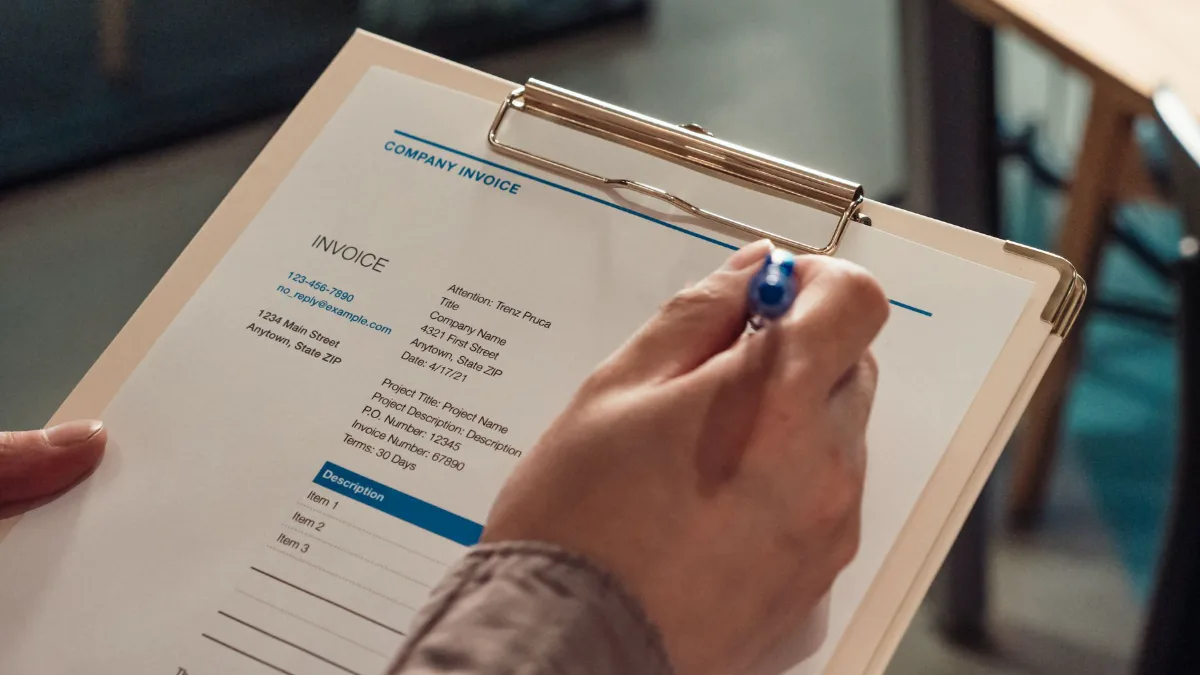
How to Make an Invoice: Step-by-Step Guide
Learn how to make an invoice in 8 clear steps: what to include, how to number it, set payment terms, add tax and send it to get paid on time.
What Is an Invoice? Meaning, Types, Examples
What is an invoice? Learn what it means, what it includes, the main types and how it differs from a bill or receipt, with clear examples.
Invoice Number Format: How to Number Invoices
How to number invoices: sequential, date-based and client-based formats with examples, tax authority rules and how to handle gaps.

Invoice Payment Terms: Net 10, Net 30 and More
What invoice payment terms mean: how Net 10, Net 30, 2/10 net 30 and due on receipt work, how to choose the right terms and how to write them clearly.