
How to Make an Invoice: Step-by-Step Guide
In this guide
- What an invoice is and why a good one gets paid faster
- Before you start: what to have ready
- Step 1: Add your business details (and logo)
- Step 2: Add your client’s details
- Step 3: Give the invoice a number and a date
- Step 4: Describe what you are charging for
- Step 5: Calculate the subtotal, discount, tax and total
- How do I add tax to an invoice?
- Step 6: Set the payment terms and the due date
- Step 7: Add payment instructions, late fees and notes
- Step 8: Check, save as PDF and send
- A complete worked example, line by line
- Making an invoice in common situations
- How to make an invoice in Word, Excel or Google Docs
- What to write in the email that carries the invoice
- Wording you can reuse on an invoice
- What to do when a client disputes or questions an invoice
- Invoice templates, invoice makers and generators: which should you use?
- How often to invoice and when to send
- Invoicing different kinds of clients
- Mistakes that make invoices get paid late
- What the rules say in different countries
- How to keep track of invoices after you send them
- How long should you keep invoices?
- An invoice checklist you can copy
- Next steps
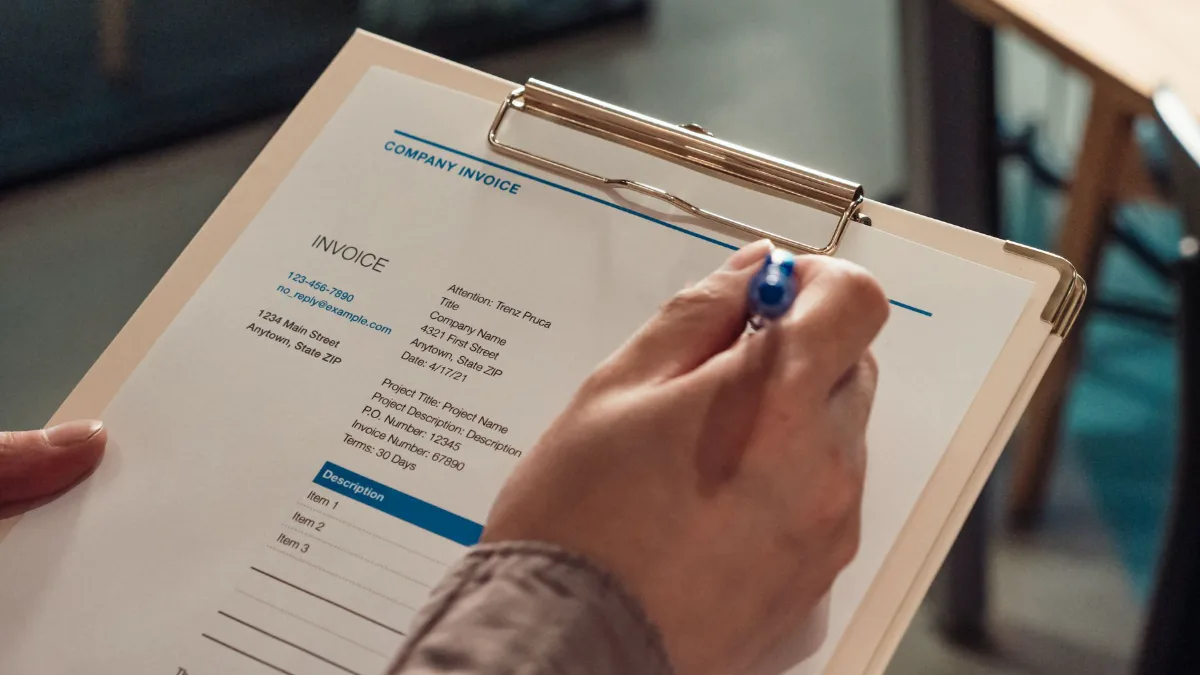
An invoice is a request for payment. Making one takes about ten minutes the first time and about two minutes every time after that, as long as you know what goes on it and in what order. This guide walks you through the whole process: what to gather before you start, the eight steps that build a correct invoice, a fully worked example with real numbers, how to handle common situations such as hourly work, deposits and foreign clients, and the mistakes that make invoices get paid late.
If you would rather do it right now, you can make an invoice with the free invoice generator. It runs in your browser, does the calculations for you and gives you a clean PDF with no account and no watermark. The rest of this guide explains what the generator is doing, so you understand every line and can check your own work whichever tool you use.
Quick answer: To make an invoice, put your business details and your client’s details at the top, add a unique invoice number and the date, list what you did or sold with quantities and prices, add tax and any discount, show the total and the payment terms, and send it as a PDF. Each step is explained below with examples.
What an invoice is and why a good one gets paid faster
An invoice is a document a seller sends to a buyer after (or sometimes before) delivering goods or services. It states what was supplied, what it costs, and when and how to pay. If you want the full definition and the different types, read what an invoice is. For this guide, three points matter.
First, an invoice is a request for payment, not proof of payment. Proof of payment is a receipt, and the difference is explained in invoice vs receipt vs bill.
Second, an invoice is also your record of income. It is the document your accountant, your tax authority and, if it ever comes to it, a court will look at. A vague invoice is a weak record.
Third, an invoice is read by someone who is not you. In a company, that person is usually an accounts payable clerk who has to match the invoice to an order, check the amounts and schedule a payment. A clear invoice goes through their process in minutes. An unclear one is put on a pile and paid whenever somebody gets round to asking. Everything in this guide is aimed at making your invoice easy to match, check and pay.
Before you start: what to have ready
You will work faster if you collect these before opening any template or tool:
- Your business details. Your legal or trading name, address, email address and phone number. If you are registered for sales tax, VAT or GST, your registration number as well.
- Your client’s details. The exact name of the person or company that is paying, their billing address, and a contact email. For business clients use the legal name that appears on your contract or quote, so their accounts team can match it.
- What was agreed. The quote, estimate, purchase order or email that describes the work, the price and the delivery date. An invoice should never surprise a client. It should repeat what they have already agreed to.
- The numbers. Quantities, unit prices or hourly rates, any discount you promised, and any expenses you are passing on.
- How you want to be paid. Bank transfer details, a payment link or the methods you accept, and when payment is due.
- Your tax position. Whether you charge tax, at what rate, and whether your prices include it. The rules vary by country and sometimes by state or province, so confirm with your tax authority or accountant if you are unsure. Our guides on sales tax on invoices, UK VAT invoices and GST invoices for Canada and Australia cover the common cases.
If you are missing something, you are better off asking now than sending an invoice you have to correct later.
Step 1: Add your business details (and logo)
The top of the invoice tells the client who it is from. Put your name and address in the top left or top right, where people expect to find them, and add an email address and phone number so the accounts team can reach you.
A few practical points:
- Use the name your client knows. If you trade as “Harris Design” but are registered as “H. Awais Ltd”, show both: the trading name prominently and the legal name beneath it. Accounts departments pay legal entities.
- Add a tax number if you have one. In many countries a valid invoice must show it. If you are not registered, you do not need to invent anything.
- Add a logo if you have one. A logo is optional, but it makes the document look established and makes your invoices easy to recognise in a pile. Use a clean PNG or JPG; a very large file only slows things down. In Invoicz the Add logo box is at the top left of the card, accepts PNG, JPG or WebP up to 2 MB and shrinks the image for you.
- Keep it compact. The header is not the place for slogans or a long list of services. The client wants to see the amount and the due date, not your marketing.
If you invoice regularly, save these details so they are filled in automatically next time. A browser-based generator such as Invoicz keeps your business details on your own device for exactly that reason.
Step 2: Add your client’s details
Under or beside your details, add a Bill to block with the client’s name and billing address. If the goods are delivered somewhere else, add a Ship to address too.
For a company, include a contact name only if you know the person who will process the payment. If the client gave you a purchase order number, put it on the invoice; many large organisations will not pay an invoice that does not quote their PO. In Invoicz the PO number sits under the dates on the right-hand side.
Check the spelling of the client’s name and address against a signed quote or contract. A misspelled company name is a small thing, but it is one of the commonest reasons for an invoice being returned by a large client.
Step 3: Give the invoice a number and a date
Every invoice needs a unique invoice number and an issue date.
The number lets you and the client refer to this specific invoice in emails and payments (“please pay invoice 1042”). It also lets your accountant and the tax authority see that nothing is missing. The simplest system is a running count: 1, 2, 3, and so on. Many businesses add the year, for example 2026-001, or a client prefix, for example ACME-014. The pattern matters less than two rules: never reuse a number, and do not leave gaps you cannot explain. Our guide to invoice number formats shows the common patterns and when to choose each one.
The issue date is the date you create and send the invoice. It is the starting point for payment terms: “Net 30” means 30 days from this date. Some invoices also carry a supply date (the day the goods were delivered or the work was done), which matters for tax in some countries.
Step 4: Describe what you are charging for
This is the heart of the invoice: the line items. Each line has a description, a quantity, a unit price (rate) and a line total.
Write descriptions that someone who was not there can understand. Compare these:
| Weak description | Better description |
|---|---|
| Design work | Logo design, 3 concepts and 2 revision rounds, delivered 12 Oct |
| Consulting | Strategy workshop, 4 hours, 8 Oct, includes written summary |
| Materials | Cedar fence panels, 6 ft x 6 ft, 12 units |
| Services | Monthly website maintenance, October 2026 |
The better descriptions answer three questions without a follow-up: what was it, how much of it, and when. This also protects you. If a client disputes a charge six months later, a specific line is hard to argue with and easy to prove.
Some practical rules for line items:
- One thing per line. Do not bundle a project into a single “Website: $3,000” line unless that was a fixed price you agreed. Itemising shows value and avoids “what is this for?” emails.
- Use the same units as your quote. If you quoted by the day, invoice by the day.
- Put expenses on their own lines. Travel, materials and software costs you pass on should be separate from your fees, with receipts available if the client asks.
- Show quantities as numbers. Hours as 7.5, not “7 hours 30 minutes”. Our timesheet generator is handy when you need to attach a record of hours.

Step 5: Calculate the subtotal, discount, tax and total
Once the lines are in, the invoice needs a clear block of totals. The order matters because it changes the result:
- Subtotal: add up all line totals.
- Discount: subtract any agreed discount, either a percentage or a fixed amount.
- Tax: calculate sales tax, VAT or GST on the discounted amount.
- Shipping or delivery: add this after tax if it is not taxed (rules vary; some places tax shipping).
- Total: the amount due.
- Amount paid: subtract any deposit or earlier payment.
- Balance due: what the client still owes.
Here is a worked example with a 10 percent discount and 8 percent sales tax.
| Line | Qty | Rate | Amount |
|---|---|---|---|
| Website design (5 pages) | 1 | $1,200.00 | $1,200.00 |
| Logo design | 1 | $350.00 | $350.00 |
| Hosting setup | 2 | $60.00 | $120.00 |
| Subtotal | $1,670.00 | ||
| Discount (10%) | -$167.00 | ||
| Discounted amount | $1,503.00 | ||
| Sales tax (8%) | $120.24 | ||
| Total | $1,623.24 | ||
| Deposit paid | -$500.00 | ||
| Balance due | $1,123.24 |
Two common questions come up here. Is the discount taken before or after tax? In nearly all cases the discount reduces the price first and tax is calculated on what is left, because tax is charged on the price actually paid. What if my prices already include tax? Then you work backwards: the tax amount is the total multiplied by the rate and divided by one plus the rate. A generator with a “prices include tax” option does this for you. In Invoicz you tick Prices include tax next to the tax line.
If you charge more than one tax rate on different items, state the rate on each line or split the invoice, and check what your authority expects. Our sales tax guide explains how this works in practice.
How do I add tax to an invoice?
Adding tax to an invoice takes four moves, and the same order works for sales tax, VAT and GST.
- Decide whether tax applies to what you are selling and whether you are registered to charge it. If you are not registered, you do not add tax.
- Work out the taxable amount. Add up the taxable lines and take off any discount that applies to them.
- Apply the rate. Multiply the taxable amount by the rate as a decimal. For 8% tax on $1,000.00, that is $1,000.00 × 0.08 = $80.00.
- Show it on its own line with the label and rate, such as “Sales tax (8%): $80.00”, then show the total of $1,080.00.
| Line | Amount |
|---|---|
| Subtotal | $1,000.00 |
| Sales tax (8%) | $80.00 |
| Total due | $1,080.00 |
In the invoice generator, switch on the tax option, type the rate and the tool applies it for you. There is also a switch for prices that already include tax. For rounding, tax-inclusive prices, exemptions and examples, read sales tax on invoices.
Step 6: Set the payment terms and the due date
Payment terms say when the invoice must be paid. Without them, “I’ll pay it when I get a chance” becomes your payment schedule.
The most common terms are:
| Term | Meaning | Typical use |
|---|---|---|
| Due on receipt | Pay as soon as you receive the invoice | Small jobs, consumers, new clients |
| Net 7 / Net 14 | Pay within 7 or 14 days of the invoice date | Freelancers and short projects |
| Net 30 | Pay within 30 days | The standard for business-to-business work |
| Net 60 | Pay within 60 days | Large companies and public bodies |
Show both the term and the actual due date, for example “Net 30, due 13 November 2026”, so nobody has to count. The tool helps: choose “Net 30” in Invoicz and the due date is filled in for you. There is a full explanation, including early-payment discounts, in the guide to invoice payment terms.
Shorter terms are paid faster. If your client has not agreed longer terms, due within 14 days is a reasonable default for small jobs. For larger amounts consider asking for a deposit; the guide to deposit and progress invoices shows how to word it.
Step 7: Add payment instructions, late fees and notes
Tell the client exactly how to pay. Include whichever of these apply:
- Bank name, account name, account number and routing, sort code or IBAN/BIC.
- A payment link for card or online payments.
- Accepted methods (bank transfer, card, cheque) and anything you do not accept.
- The reference to quote when paying, usually the invoice number.
Then add the conditions you agreed in advance, for example a late fee: “A late fee of 1.5% per month applies to overdue balances.” Only include what is allowed where you operate and what the client agreed to; our guide on invoice late fees explains wording and limits.
Finally, use the notes field for a short, human line: a thank-you, the project name, or a reminder of the next milestone. A friendly note costs nothing and clients do read it.
Step 8: Check, save as PDF and send
Before you send, read the invoice once as if you were the client:
- Are the names, addresses and numbers right?
- Do the line items match what you quoted?
- Is the maths right, including the tax and the balance?
- Is the due date clear and are the payment details complete?
- Is the file named so it can be found later, for example
AcmeCorp_invoice_1042.pdf?
Then save or export it as a PDF. A PDF cannot be changed by accident and looks the same on every device. Invoicz names the file after your client and the invoice number automatically.
Send it by email with a short message and the invoice attached. Put the invoice number and the due date in the subject line, for example “Invoice 1042 from Harris Design, due 13 November”. Our reminder email templates include a ready-made message for the first send and for each follow-up.
A complete worked example, line by line
Imagine you are a freelance designer, Haris Awais, invoicing Awasi Umar Ltd for a project agreed by email. The finished invoice would read like this.
Invoice 1042, issued 14 October 2026, due 13 November 2026 (Net 30).
From: Haris Awais, 123 Example Street, Springfield, IL 62701, haris@example.com. Bill to: Awasi Umar Ltd, 456 Sample Avenue, Austin, TX 73301. PO number: 8841.
| Description | Qty | Rate | Amount |
|---|---|---|---|
| Brand identity: logo, colour palette, usage sheet | 1 | $900.00 | $900.00 |
| Website design: home plus 4 inner pages | 1 | $1,400.00 | $1,400.00 |
| Stock photography licence (3 images) | 3 | $25.00 | $75.00 |
| Subtotal | $2,375.00 | ||
| Sales tax (8%) | $190.00 | ||
| Total | $2,565.00 | ||
| Deposit received 2 October | -$1,000.00 | ||
| Balance due | $1,565.00 |
Notes: Thank you for your business. Payment: bank transfer to Harris Design, account 0000 0000, reference “Invoice 1042”.
Everything the client needs is on one page: who, what, how much, what has been paid and what is left. You can reproduce this exact invoice in a couple of minutes with the free invoice generator.
Making an invoice in common situations
The steps above never change, but the details of the lines do. Here is how to handle the situations people ask about most.
Hourly work. List the hours as the quantity and your rate as the unit price, and describe the work in the line: “Website development, 12.5 hours at $60.00”. For several tasks, use one line per task or per day, and attach a timesheet if the client wants detail. See how to invoice as a freelancer.
Fixed-price projects. Use one line per deliverable, or a single line for the whole project if that is what you quoted. If you bill in stages, label each invoice clearly: “Milestone 2 of 3: design approval”.
Deposits and advance payments. Invoice the deposit as its own invoice, then show it as an amount paid on the final invoice so the balance is correct.
Expenses. Add reimbursable costs as separate lines, with the client’s markup if you agreed one, and keep receipts.
Foreign clients. Choose the currency you agreed on the quote, and state the currency clearly next to the total. Say who pays bank fees. If tax rules differ across borders, check the position for your countries. A proforma invoice is sometimes required for customs or an advance payment; see pro forma vs commercial invoice.
Corrections. If you made a mistake after sending, do not change the original silently. Issue a credit note for the wrong invoice and then a new, correct invoice. The guide to what a credit note is explains the process.
How to make an invoice in Word, Excel or Google Docs
Plenty of people start with a word processor or spreadsheet, and it works if you are careful. The steps are the same in all three:
- Set up the page. Use a clean A4 or Letter page with generous margins. Put your name and logo at the top, the word “Invoice” in a large heading, and the invoice number and date in a small block on the right.
- Build a table for the lines. Four columns are enough: Description, Qty, Rate, Amount. In Word or Google Docs this is an ordinary table. In Excel or Sheets, use a column for each and a final row for totals.
- Add the formulas (spreadsheets only). In the Amount column enter quantity times rate. In the total cell, sum the amounts. Add rows for discount and tax and make them reference the subtotal, so changing a price updates everything.
- Add the payment block. Terms, due date, bank details and a short note at the bottom.
- Export to PDF. Never send the editable file. A PDF cannot be altered by accident and shows your layout exactly as you designed it.
- Save a master copy. Keep one clean template and make a new file for every invoice, otherwise you will eventually overwrite an old one.
The weak points are the maths and the numbering. A formula that was broken by a deleted row, or a number you forgot to increase, is how duplicate invoices and wrong totals happen. A generator removes both risks: it calculates for you and suggests the next number. That is the main reason people move from a template to a tool once they send more than a couple of invoices a month.
What to write in the email that carries the invoice
The invoice is the document; the email is how it arrives. Keep it short and put the facts where they can be found without opening the attachment.
Subject: Invoice 1042 from Harris Design, due 13 November
Hi Awasi,
Please find attached invoice 1042 for the brand identity and website design project, total $2,565.00 with a balance of $1,565.00 after your deposit. Payment is due by 13 November by bank transfer; details are on the invoice.
If anything needs correcting, just reply to this email and I will sort it out. Thank you for your business.
Haris
Three details do most of the work. The invoice number in the subject makes it searchable. The amount and due date in the first lines mean the person can approve without reading further. And the invitation to reply makes it easy to raise a problem early instead of leaving the invoice unpaid.
Wording you can reuse on an invoice
Clear, neutral wording avoids arguments. These phrases are safe starting points; adjust them to what you agreed with your client.
| Where | Example wording |
|---|---|
| Payment terms | Payment due within 14 days of the invoice date. |
| Late fee | Overdue balances may be charged interest at 1.5% per month. |
| Deposit | A 50% deposit is due on acceptance; the balance is due on completion. |
| Bank details | Please pay by bank transfer to the account below and quote the invoice number. |
| Revisions | Includes two rounds of revisions; additional changes are billed at $60 per hour. |
| Notes | Thank you for your business. It was a pleasure working with you. |
| Tax | Prices exclude sales tax, which is shown separately. |
Only include a late fee if you told the client in advance and your local rules allow it. The guide on invoice late fees explains the limits.
What to do when a client disputes or questions an invoice
Even a careful invoice sometimes comes back with a question. Handle it in a way that keeps the relationship and the paper trail.
- Ask what exactly is wrong. “Which line should we look at?” is more useful than a general apology.
- Check against your records. The quote, the emails, the timesheet or the delivery note usually settle it.
- If you were wrong, correct it properly. Issue a credit note for the incorrect amount and a new invoice with a new number. Do not edit the sent invoice.
- If you were right, explain calmly and point to the agreement. Offer to walk through it on a call.
- Agree a new date. Once it is resolved, confirm the due date in writing.
Keep the tone factual. Most disputes are misunderstandings about scope, and a specific description on the invoice prevents most of them.
Invoice templates, invoice makers and generators: which should you use?
People use these words interchangeably, but they are different ways of doing the same job.
| Method | How it works | Good for | Watch out for |
|---|---|---|---|
| Word or Google Docs template | You edit a layout by hand and calculate totals yourself | One-off invoices when you already have a template | Maths mistakes, inconsistent numbering, files that can be edited by accident |
| Excel or Sheets template | A spreadsheet calculates totals for you | People comfortable with formulas | Broken formulas, many copies, easy to overwrite |
| Online invoice generator | A form fills in a finished layout and calculates for you | Quick, correct invoices without software | Check privacy and whether it adds a watermark or asks for an account |
| Invoicing app | A full system with clients, reminders and reports | Businesses sending many invoices a month | Subscription cost, accounts and data stored on a server |
For most freelancers and small businesses sending a handful of invoices a month, an online invoice generator is the simplest route. Invoicz is built for that case: no account, no watermark, your data stays in your browser, and the document is a finished PDF. If you outgrow it, move to an invoicing app and take your numbering with you.
How often to invoice and when to send
When you invoice is a business decision that changes your cash flow as much as the amount does.
| Situation | When to invoice | Why |
|---|---|---|
| One-off job | On delivery, or when you finish | The work is fresh and nothing is outstanding |
| Short project (under a month) | Deposit up front, balance on completion | Reduces your risk and gives the client a clear milestone |
| Long project | At each milestone or monthly | Keeps cash coming in and spreads the client’s cost |
| Ongoing work (retainer) | The same day each month | Easy for the client’s accounts team to schedule |
| Hourly work | Weekly or fortnightly | Hours are easy to check; big monthly invoices get questioned |
| Goods | When shipped, or before shipping for custom orders | Matches the delivery note and your stock records |
A useful habit is to invoice in the same week every time you finish something. If you wait for a convenient moment, “next week” turns into “next month” and your own cash flow suffers. If your client is a large company, ask when their payment run happens and when invoices must arrive to be included, then send yours a few days before that cutoff.
Invoicing different kinds of clients
The invoice is the same document, but what the client does with it changes how you should write it.
- Individuals and consumers. Keep it short and friendly. Consumers rarely have a purchase order, so a clear total, a due date and an easy way to pay (a link or bank details) are what matter. Prices are often shown including tax.
- Small businesses. They want the invoice to match the quote and to be easy to forward to their bookkeeper. Include your tax number if you have one and show tax as a separate line.
- Large companies. Their accounts payable teams work through a process. Quote the PO number, send the invoice to the address they specify (often a dedicated mailbox), use the exact legal entity name and expect payment on their terms, often 30 to 60 days. A missing PO number is the commonest reason for a rejected invoice.
- Public bodies and charities. They follow strict rules about what an invoice must show and often require a reference number or a contract code. Ask for their invoicing instructions before you start.
- Clients abroad. Agree the currency, who pays bank charges and whether a proforma or commercial invoice is needed for customs. State the currency next to every total.
Whoever the client is, ask early: “Who should invoices be addressed to, and is there anything you need on them?” It takes ten seconds and prevents a rejected invoice.
Mistakes that make invoices get paid late
Most late payment starts on the invoice itself. These are the mistakes to avoid:
| Mistake | Why it delays payment | Fix |
|---|---|---|
| No due date or terms | Nobody knows when to pay | State both the term and the date |
| Duplicate or missing invoice number | Accounts cannot match or log it | One unbroken, unique sequence |
| Vague descriptions | Triggers questions and disputes | Specific lines with quantities and dates |
| Wrong client name or address | Returned by large companies | Copy from the contract or PO |
| Missing PO number | Not matched to an approved order | Always include a PO if you were given one |
| Maths or tax errors | Rejected or corrected | Use a generator or double-check |
| No payment details | Client has to ask | Add account details or a link |
| Sent to the wrong person | Sits in the wrong inbox | Ask who handles invoices and send there |
Sending promptly helps as much as any of the above. An invoice sent three weeks late arrives after the client has forgotten the details. For more ways to speed up payment, read how to get paid faster.
What the rules say in different countries
An invoice is not just a courtesy. In many countries it is a tax document with legal requirements. This is general information, not tax advice, so always confirm with your tax authority.
- United States: there is no single federal invoice format. What matters is a clear, complete record that supports your income and your client’s deductions. Keep copies; the IRS generally advises keeping records for at least three years after you file, longer in some cases.
- United Kingdom: a full VAT invoice must carry a sequential number that uniquely identifies it, the supply date, your name, address and VAT number, the customer’s name and address, a description with quantities, the VAT rate and amounts. HMRC allows a less detailed invoice for supplies of £250 or less including VAT. See our UK VAT invoice guide.
- Canada: the CRA sets different information requirements depending on the invoice amount: very small invoices need only the supplier name, date and amount; from $30 you must also show your GST/HST registration number; from $150 you must add the customer’s name, payment terms and a description. See the GST invoice guide.
- Australia: the ATO says a tax invoice is generally needed for sales above $82.50 including GST, and must contain more detail from $1,000. The same guide covers Australia.
If you operate across borders, a short note on the invoice about the tax treatment (“Reverse charge: customer to account for VAT”) may be required. Ask your accountant before you rely on a template.
How to keep track of invoices after you send them
Sending is not the end. A simple routine saves a lot of chasing:
- Log it. Record the number, client, amount and due date in a spreadsheet or your accounting tool.
- Check at the due date. If it is unpaid the next morning, send a polite reminder rather than waiting weeks.
- Mark it paid and issue a receipt. When the money arrives, record it and, if the client asks, send a receipt. Our guide on how to write a receipt shows what to include.
- Keep copies. Store the PDF for as long as your tax rules require, usually several years.
- Review monthly. Which clients pay late? Do their terms need to change?
A browser-based generator helps with step one in a small way: Invoicz keeps a History of the documents you downloaded on your device so you can reopen one and edit it, but it is not an accounting system, so keep your own log as well.
How long should you keep invoices?
Keep every invoice you issue and every supplier invoice you receive for as long as your tax authority requires, which is commonly between three and seven years depending on the country and the type of record. In practice, many businesses keep them for seven years because it is a simple rule that covers most situations.
Keep them in a place you can search, such as a folder with the invoice number and client in each file name. The table in what is an invoice lists typical periods for the United States, United Kingdom, Canada and Australia.
An invoice checklist you can copy
Before you press send, go through this list:
- My name, address and contact details are shown, with my tax number if registered.
- The client’s legal name and billing address are correct, and the PO number is shown if they gave one.
- The invoice has a unique number and today’s date.
- Every line has a clear description, quantity, rate and amount.
- Discount, tax and shipping are applied in the right order and the total is correct.
- The payment terms and the due date are both shown.
- Payment instructions are complete, and any late-fee wording is one the client agreed to.
- The file is a PDF named with the client and number.
- I will log it and check on the due date.
Next steps
You now know how to make an invoice from the first line to the follow-up. Open the invoice generator and make one now, then read what to include on an invoice for a deeper checklist and invoice vs receipt vs bill if you are unsure which document you need. If you are about to start a job, a quote or estimate first will make the invoice a formality.
Frequently asked questions
How do I make an invoice for free?
Use a free online invoice generator, enter your business details, your client's details, an invoice number, the date and each item with a price, then download the PDF. With Invoicz you do not need an account and nothing is uploaded; the invoice is built in your browser.
What is the easiest way to make an invoice?
The easiest way is an online invoice generator that does the maths for you. You fill in a form, check the live preview and download a PDF. A word-processor or spreadsheet template works too, but you have to calculate totals and tax yourself.
What information must be on an invoice?
At minimum: your name and contact details, the client's name, a unique invoice number, the issue date, a description of the goods or services, amounts, any tax, the total and payment terms. Some countries also require a tax registration number and, for VAT, a sequential number.
How do I write a simple invoice?
Write the word Invoice, add your details and your client's, give it a number and a date, list each item with quantity and price, add tax if you charge it, show the total and say when and how to pay. Keep descriptions specific and the layout clean.
How do I number my first invoice?
You can start at 1, 001 or use a pattern such as INV-2026-001. What matters is that every number is unique and that you keep counting upwards without gaps. Starting at 1 is fine; it does not tell clients how new your business is.
Can I make an invoice on my phone?
Yes. A browser-based generator works on any phone: fill in the form, check the preview and save the PDF to your phone. You can then attach it to an email or message.
How soon after the work should I send the invoice?
As soon as the work is delivered or the milestone is reached, ideally the same day. Invoices sent promptly are paid promptly, and the details are still fresh for both of you.
Do I need to put a logo on my invoice?
No. A logo is optional, but it makes an invoice look professional and helps clients recognise the sender. Use a clear PNG or JPG that is not too large.
Is an invoice legally required?
In many countries businesses must issue an invoice for sales to other businesses and keep a copy for tax records. Rules differ, so check your local tax authority. Even where it is not mandatory, an invoice is the standard way to ask for payment.
How do I add tax to an invoice?
Work out the taxable amount, multiply it by the tax rate, and show the tax on its own line with its label and rate before the total. If prices already include tax, divide by one plus the rate to find the tax.
How long should you keep invoices?
Keep invoices for the period your tax authority requires, commonly between three and seven years depending on the country. Many businesses keep them for seven years as a safe habit.
Related guides
What Is an Invoice? Meaning, Types, Examples
What is an invoice? Learn what it means, what it includes, the main types and how it differs from a bill or receipt, with clear examples.
What to Include on an Invoice: Checklist
Every element a professional invoice needs, from numbers and dates to tax and payment terms, with UK, US, Canada and Australia notes.
Invoice Number Format: How to Number Invoices
How to number invoices: sequential, date-based and client-based formats with examples, tax authority rules and how to handle gaps.
Invoice Payment Terms: Net 10, Net 30 and More
What invoice payment terms mean: how Net 10, Net 30, 2/10 net 30 and due on receipt work, how to choose the right terms and how to write them clearly.